Your AI still waits for you to press the button
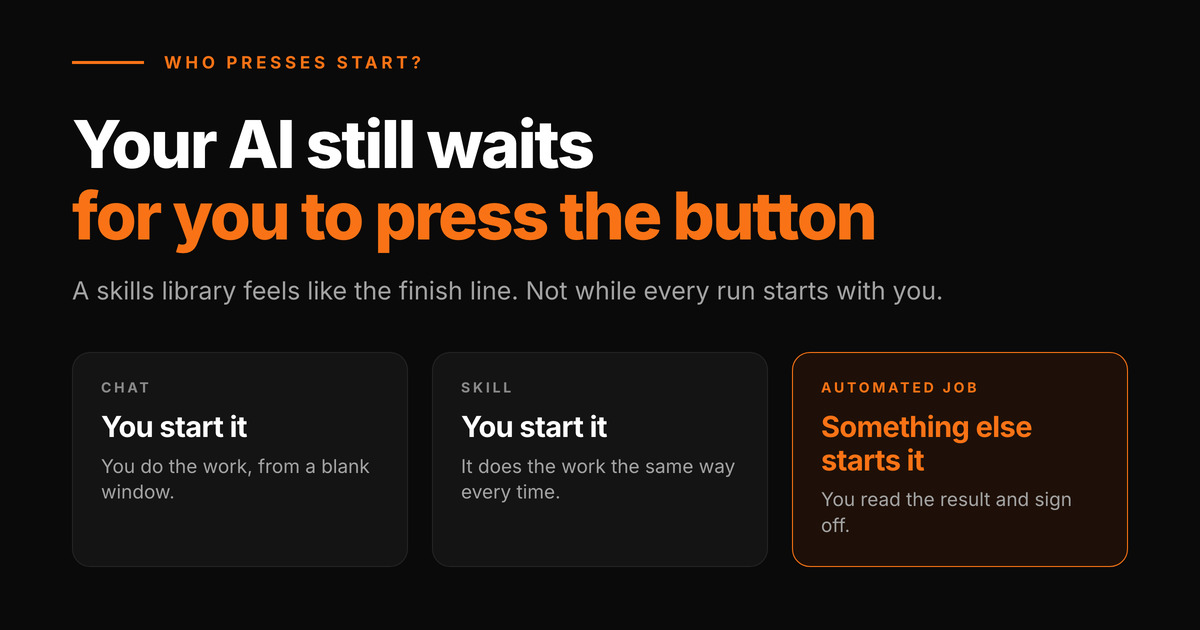
A test for anyone who has gotten good at AI: count the runs you started this week. Every summary, every draft, every report your saved skills produced. Who pressed start?
If the answer is you, every time, you are at the level most serious users settle into and mistake for the top. Turning prompts into skills is real progress, and we argued for it in the AI learning curve and you're using Claude, but you're not training it. But the business still only moves when you sit down and start it. You built a fast machine with one ignition key, and the key lives in your pocket.
What changes when a skill runs without you?
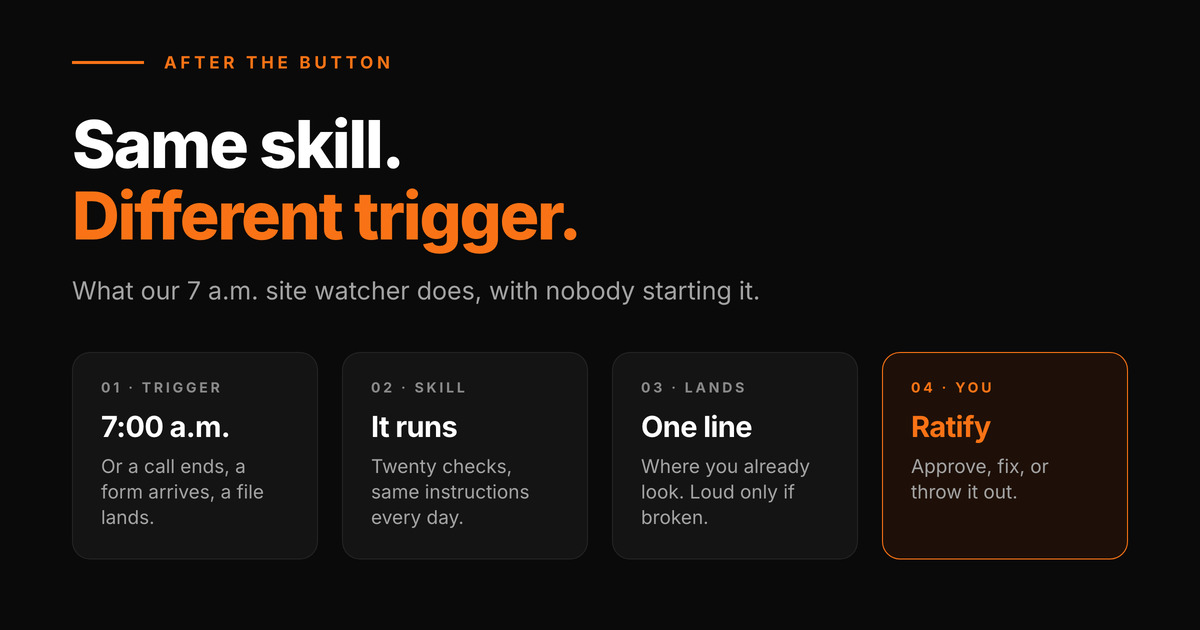
Only what starts it. The instructions, the context and the output format all carry over. At the button, you start it. Past the button, something in the business does: a time of day, a form submission, a call ending, a file landing in a folder. You need to answer one question per skill: what event in my business should mean this work starts?
The trigger is one of the five pieces we walked through in GrokBot or Claude?, and it is the one people skip.
What does it mean that the human only ratifies?
You stop doing the task and start judging it: approve it, fix it, or throw it out. That only works if the output is built to be judged fast. Our site watcher runs at seven every morning and nobody starts it. It checks twenty things across the sites we are responsible for. When everything is fine, it says so in one line.
That one line is the most important design decision in the setup. If the healthy report ran a page long, I would stop reading it by the second week. An automated job whose output you have stopped reading is worse than a manual one, because it looks like coverage.
Why did our check pass by hand and fail on schedule?
This month we added a check that compares the listings on a real estate client's site against the MLS. We ran it by hand twice and it passed. Then it failed on its first scheduled run, and on the one after that.
Nothing on the client's site was wrong. On a Mac, the scheduler is not allowed to read files on the Desktop, and the check kept its reference copy there. When I ran it, it had my permissions. When the schedule ran it, it didn't.
Pressing the button tests your own context: your logins, your files, your permissions. The trigger runs in a different one. A skill is not automated until it has worked in the context the trigger uses.
Which skills should go on a trigger first?
The ones you have run by hand often enough to be bored. A skill is judgment written down (we made that case in the people who build the machine), and one you still tweak on every run isn't finished. Good candidates:
- Follow a rhythm the business already has: every morning, every new lead, every finished call.
- Get their input somewhere a machine can see it.
- Land with you before they reach anyone else.
- Can be judged good or bad in under a minute.
One we haven't moved yet: every call we record is written to disk as a transcript when it ends, and I still ask for the notes by hand. It is the obvious next one off the button.
Which jobs should never run on a trigger?
My rule is that nothing leaves the building on a trigger alone. A trigger can prepare a client email, a price change or a reply to a review, and a person approves it before anyone outside sees it. People usually get this backwards: they automate the send because it is the tedious click. The preparation is what a trigger should do while you sleep. The click that puts your name on something is the piece worth keeping.
How do you move your first skill off the button?
Pick the skill you ran most often last month. Write down what you check when you review its output; that list is your approval step. Send the output somewhere you already look every day. Name the event that should start it, then make that trigger run it once while you watch, not you pressing the button.
Every morning at seven, twenty checks run across our sites, and most days the whole report is one line. I don't start it. Reading that line is the job now.
Frequently Asked Questions
- What is the difference between an AI skill and an automated AI job?
- A skill is a saved set of instructions that produces the same kind of output every time you run it. An automated job is that same skill started by something other than you: a schedule, a form submission, a finished call, a file landing in a folder. The skill does not change. What changes is that the business keeps moving when you are not at the keyboard.
- What does human in the loop mean if the AI runs on its own?
- It means the human moves from starting the work to approving it. The job runs, the output lands somewhere you already look, and you approve it, correct it, or reject it. Anything that leaves the business, like a client email, a price, or a published page, still waits for that approval before it goes out.
- What can trigger an AI workflow automatically?
- Two kinds of things. A schedule, such as every morning at seven or every Monday, usually called a cron job. Or an event, such as a web form being submitted, a call ending, an email arriving, or a new file appearing, which usually reaches the AI through a webhook. Most small businesses already run on both kinds of rhythm. The work is connecting them to a skill.
- Which business tasks should not be fully automated with AI?
- Anything that goes out under your name or cannot be undone: sending client emails, changing prices, publishing, payments, deleting records. Let the automated job prepare those and have a person approve the last step. Also keep any task off a schedule until you can describe what a good result looks like, or the schedule will just repeat the mistake on time.
- Why does my AI automation work when I run it but fail on a schedule?
- Because you and the scheduler are not running it in the same context. When you start it, it has your logins, your open files and your permissions. The scheduler often has fewer. We had a check pass every time we ran it by hand and fail every scheduled run, because the scheduler on a Mac could not read a file on the Desktop. Test every automated job by making the trigger itself run it.
- Do I need a developer to put an AI skill on a schedule?
- Usually not for the first one. Several AI tools now let you set a recurring task in plain language, and services like Zapier or Make can connect a form or an inbox to an AI step without code. You need a developer or an implementation partner when the job has to reach inside a system with no simple connection, or when a failure has to reach you somewhere other than the tool itself.
Ready to find out where you stand?
Get a free business audit.
We'll review your digital presence, competitive position, and where AI can make the biggest difference, at no charge.
Request your free snapshot
John Rounds
Founder & AI Implementation Specialist at Doble AI. Bilingual AI implementation, with 20+ years of international experience across 50+ countries. Builds and runs AI systems for Colorado businesses in both English and Spanish markets.